
What Are Pillar Pages?
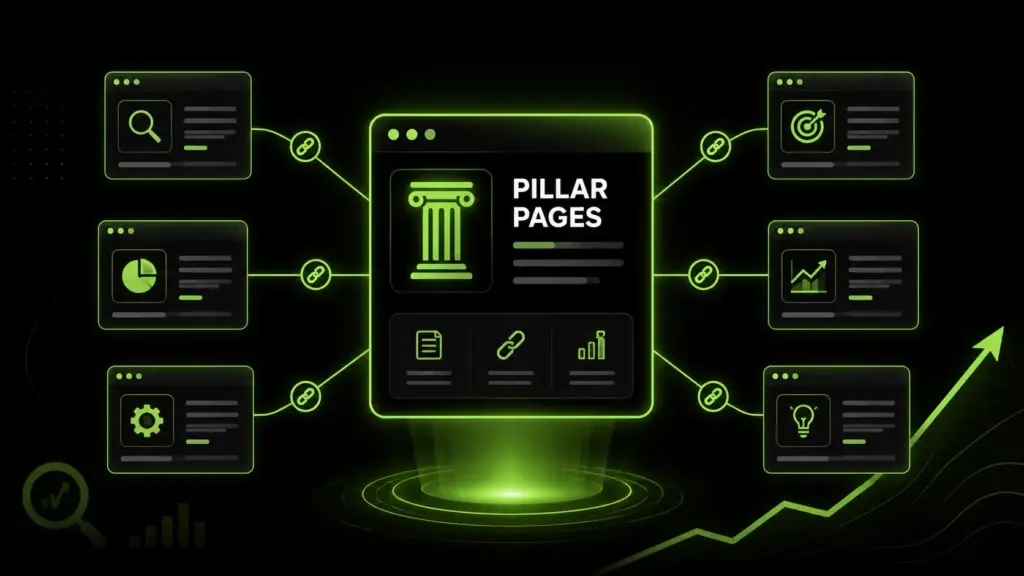
Pillar pages are comprehensive pages that cover a broad topic and connect related supporting content through internal links. Instead of publishing disconnected blog posts, you create one central page that acts as the main content hub for a topic. For SEO, this matters because search engines need clear relationships between pages — a pillar page helps organize your website around subjects, not just individual keywords.
Pillar Pages Meaning in SEO
In SEO, pillar pages work as the main resource for a broad subject. They explain the core topic, answer common questions, and link to more detailed pages that cover specific subtopics. For example, a website about digital marketing might create a pillar page about SEO strategy, then link to supporting guides about keyword research, technical SEO, content writing, link building, and analytics.
How Pillar Pages Organize Website Content
A strong pillar page creates order. It groups related pages under one central theme so visitors do not feel lost. This structure helps you organize a broad main topic, clear subtopics, internal links to related articles, helpful explanations, search-intent-focused headings, updated information, easy navigation, and strong calls to continue reading related content.

Why Pillar Pages Matter for SEO Growth
Pillar pages matter because they help your website become easier to understand, easier to crawl, and easier to use. When pages are connected logically, both users and search engines can follow the topic more clearly.
Better Topical Authority
Topical authority grows when your website covers a subject deeply. One short blog post usually cannot prove expertise. A pillar page supported by multiple topic clusters shows that your site has depth. This is especially useful for competitive topics — instead of trying to rank one article alone, you build a connected content system that supports the main page.
Stronger Organic Visibility
Organic visibility improves when your content structure matches user intent. A pillar page can target broad searches, while supporting posts target specific long-tail questions. This gives your site more chances to appear in search results and keeps users moving through your content instead of leaving after reading one page.
Pillar Pages and Topic Clusters
Pillar pages and topic clusters work together. The pillar page is the central page. The cluster pages are supporting resources that explain smaller parts of the main topic in more detail.
How Topic Clusters Support Pillar Pages
Topic clusters strengthen the pillar page by expanding the subject. Each cluster article answers a specific question or covers a focused keyword. For example, a pillar page about content marketing could link to cluster pages about blog writing, content calendars, SEO briefs, content audits, and repurposing content. Each supporting page adds more context to the main topic.
Why Cluster Content Needs a Central Page
Without a central page, cluster content can feel scattered. Users may find one article but never discover the rest of your resources. A pillar page solves this by acting as the main path — connecting related pages and showing readers where to go next. This also helps search engines understand which page is the main authority on the subject.
Think of the pillar page as the trunk of a tree. Topic cluster articles are the branches — each one supports and connects back to the same core structure.
How Pillar Content Supports Internal Linking
Pillar content is designed to connect pages naturally. It gives you a reason to link from the main page to supporting content and from supporting content back to the main page.
Using Internal Links to Connect Related Pages
Internal links help users move through your website. They also help search engines discover and understand your pages. A good internal linking structure should feel useful, not forced — links should point readers to pages that expand the topic they are already reading about.
Linking Pillar Pages to Supporting Blog Posts
Your pillar page should link to every important supporting post in the topic cluster. In return, each supporting post should link back to the pillar page. This two-way linking pattern creates a strong content hub and helps distribute authority across related pages.
Pillar Pages vs Regular Blog Posts
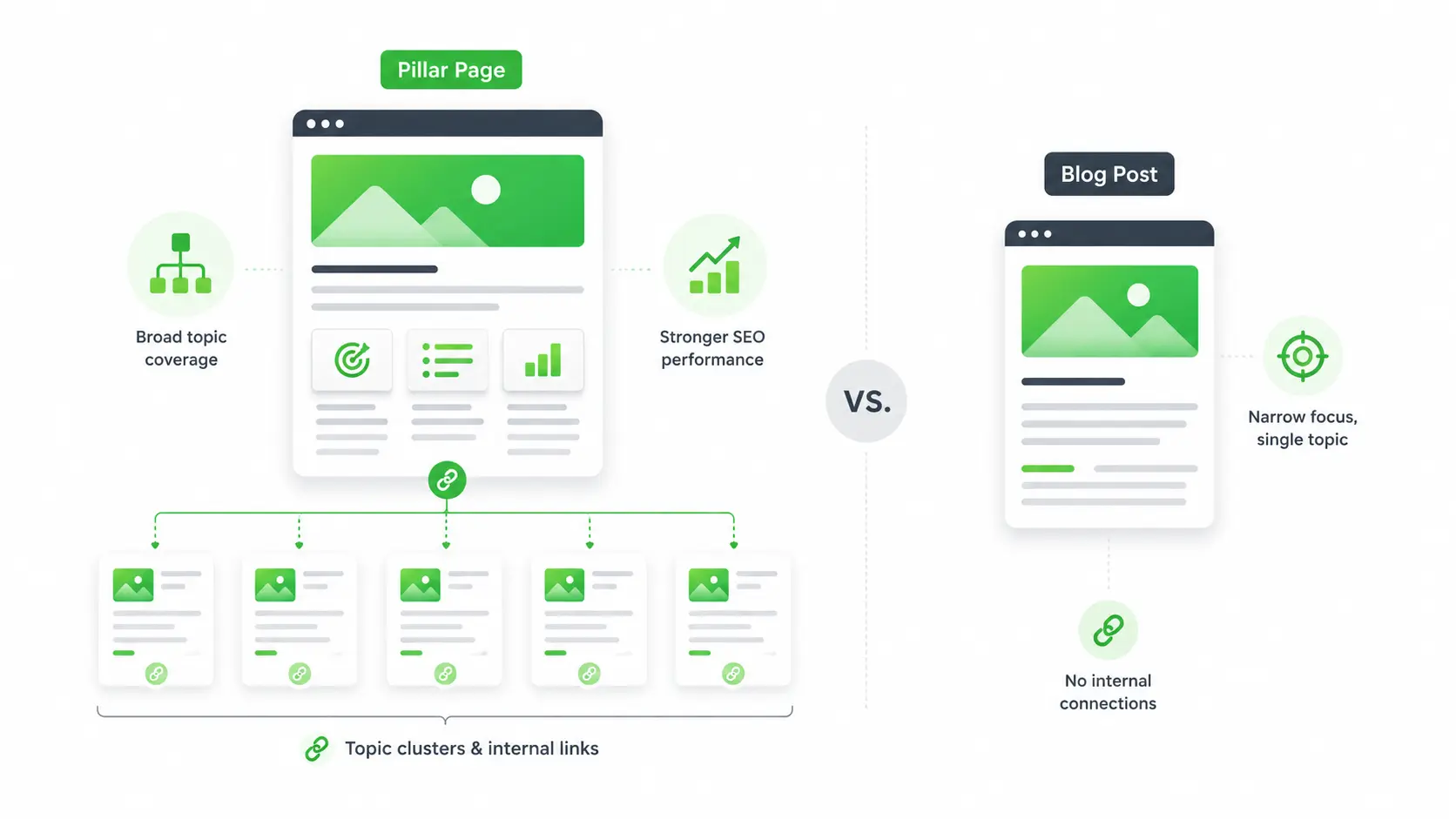
Pillar pages and blog posts are both useful, but they serve different purposes. A regular blog post usually focuses on one narrow topic. A pillar page covers a broader subject and connects multiple related resources.
- Narrow and topic-specific
- Often timely or news-driven
- Answers one question or keyword
- Supports the cluster
- Example: "How to write a meta description"
- Broad and topic-spanning
- Designed as a long-term SEO asset
- Connects multiple subtopics and posts
- Acts as the main content hub
- Example: "Complete Guide to SEO Strategy"
When to Use a Pillar Page Instead of a Standard Post
Use a pillar page when the topic is broad enough to support many related articles. Use a regular post when the topic is specific and does not need a full content hub. For example, "SEO strategy" is a strong pillar page topic. "How to write a meta description" is better as a supporting cluster article.
12 Best Pillar Page Examples for SEO Growth
The best pillar pages are not limited to one industry. Any website with multiple related topics can use them to improve structure and visibility.
How to Create a Strong Pillar Page
Creating strong pillar pages starts with planning. The goal is not to write a long page for the sake of length — the goal is to build a useful content hub that answers the main query and connects related resources.
Start with Keyword Mapping for Pillar Pages
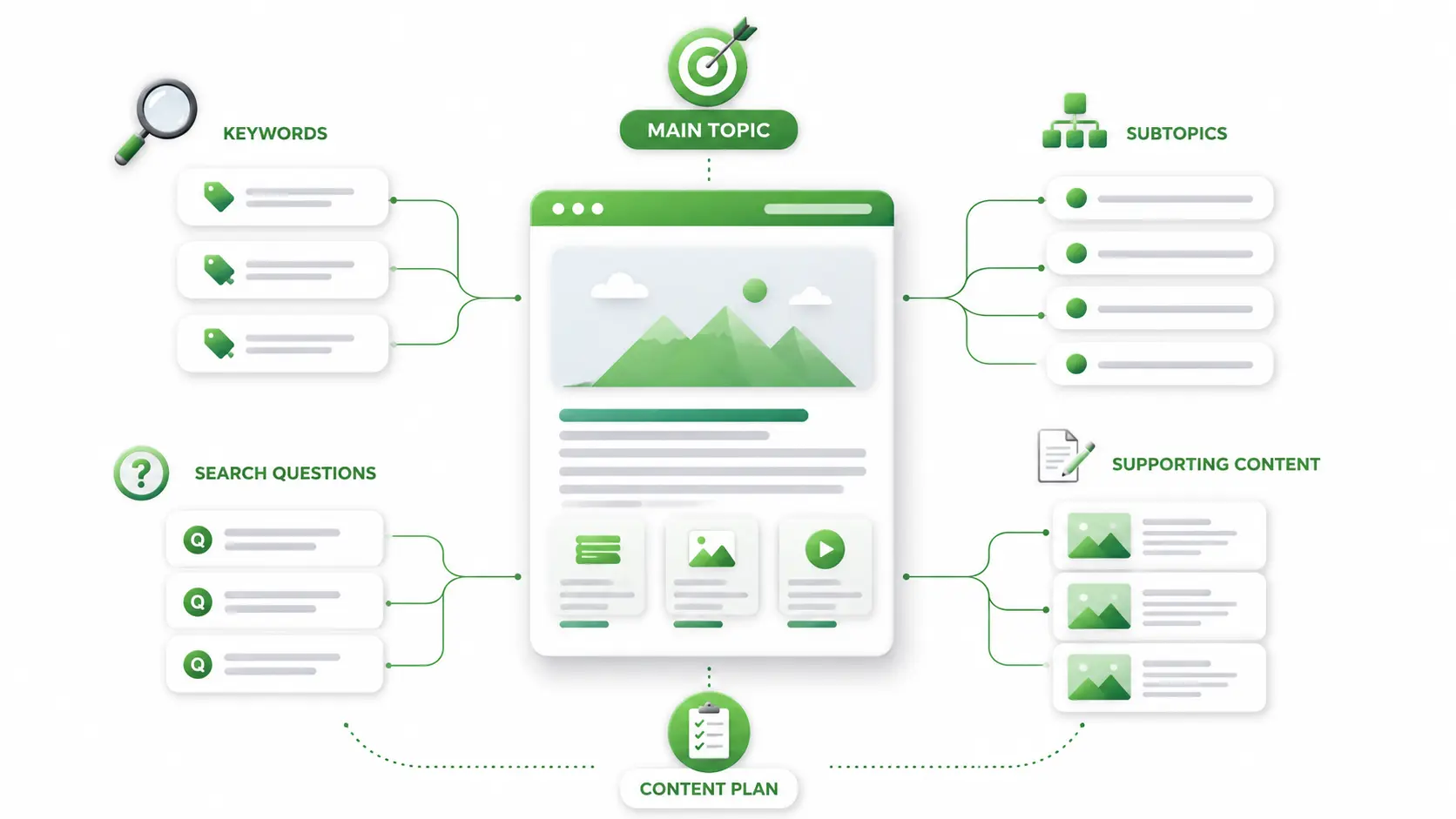
Before building pillar pages, keyword mapping helps you organize primary keywords, secondary keywords, and supporting content around one clear topic. Start with one broad keyword, then list related subtopics, search questions, and supporting article ideas. This keeps your pillar page focused and prevents duplicate content.
Build a Clear Content Hub Structure
A pillar page should also follow landing page optimization principles so users can easily scan the content, understand the value, and continue to related pages. Use clear headings, short paragraphs, jump links, descriptive anchor text, and a logical flow — every section should either answer a key question or guide the reader to a deeper resource.
Common Pillar Page Mistakes to Avoid
Even good topics can fail if the page is thin, confusing, or poorly connected. A pillar page should be useful enough to stand on its own while still encouraging deeper exploration.
Pillar Pages SEO Checklist
A checklist helps you review the page before publishing. Use it to make sure the content is clear, optimized, and connected.
- Focus keyword in title, H1, and meta description
- Keyword in URL slug and first 100 words
- Keyword in at least one subheading
- Keyword in image alt text
- Clear meta title and clickable meta description
- Logical H2 and H3 structure
- Internal links to cluster content
- Descriptive anchor text throughout
- Optimized featured image
- FAQ section included
- Page is helpful, complete, and easy to read
- Explains the broad topic without overwhelming
- No outdated information or broken links
- No missing subtopics or weak examples
- Updated when new supporting content is published
- Two-way links between pillar and cluster pages
- Clear calls to continue reading related content
Final Thoughts
Pillar pages help turn scattered content into a clear SEO system. They organize topic clusters, strengthen internal linking, and create a content hub that is easier for users and search engines to understand.
The best approach is simple: choose a broad topic, map the related keywords, create helpful pillar content, and connect every important supporting page. When built well, pillar pages can improve organic visibility and make your website feel more useful, organized, and trustworthy.
Need Help Building Pillar Pages and Content Hubs?
Get professional content writing support to turn broad topics into structured pillar pages that improve organic visibility and internal linking.
View Content Writing Services →Frequently Asked Questions
A pillar page is a detailed page that covers a broad topic and links to related supporting content. It works as the main resource for a subject and helps organize your website into clear topic clusters. For SEO, pillar pages make it easier for search engines to understand your content structure and topical relevance.
A pillar page should be long enough to cover the topic clearly without becoming difficult to read. Many strong pillar pages range from 1,000 to 3,000 words, depending on the topic. The goal is not only length, but also depth, structure, internal links, and usefulness for the reader.
A pillar page is the main page that covers a broad topic, while topic clusters are supporting pages that explain related subtopics in more detail. The pillar page links to the cluster pages, and the cluster pages link back to the pillar page. Together, they create a stronger content hub.
Yes, pillar pages are very useful for internal linking. They give you a central page that connects related articles, guides, and service pages. This improves navigation for users and helps search engines understand which pages are connected around the same topic.
Pillar pages should be reviewed regularly, especially when the topic changes or new supporting content is published. Updating the page keeps the information accurate, improves freshness, and gives you more opportunities to add new internal links to related content.