

Google Ads remarketing is a strategy that helps businesses reconnect with people who have already visited their website, viewed products, read content, or interacted with key pages. Instead of showing ads only to new audiences, remarketing focuses on users who already showed interest but did not convert. A well-planned Google Ads remarketing campaign can improve conversions, reduce wasted ad spend, and support a stronger Google Ads retargeting strategy.
Remarketing works because most visitors do not become leads or customers on their first visit. They compare options, leave the site, think about the offer, or get distracted. Remarketing gives your business another chance to appear in front of those warm visitors with a more relevant message.
What Is Google Ads Remarketing?
Google Ads Remarketing Meaning
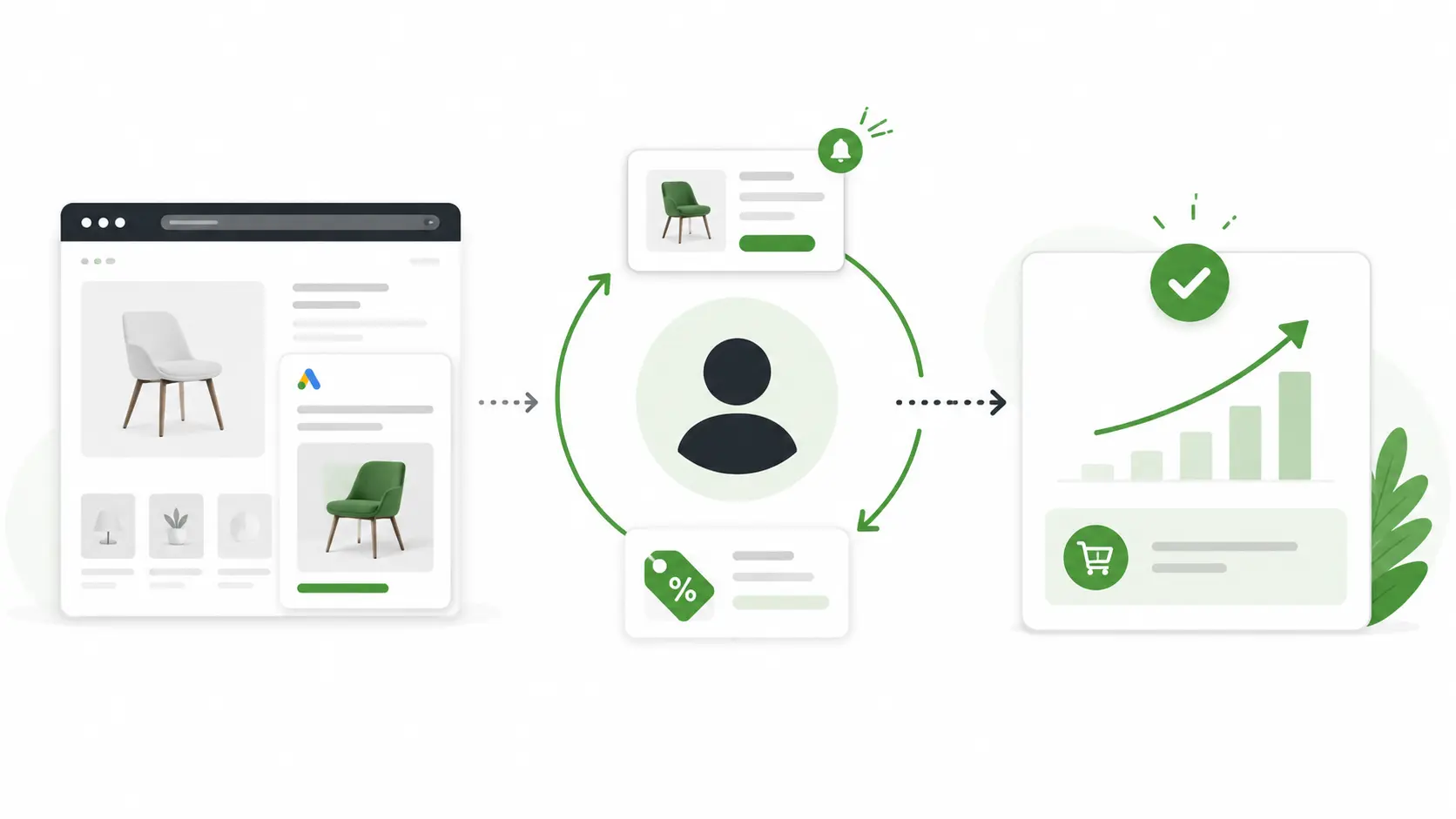
Google Ads remarketing is a paid advertising method that targets people who previously visited your website, viewed a product or service page, interacted with your content, or completed a specific action without converting. For example, someone may visit your pricing page, read your service details, and leave without submitting a form. With remarketing, you can show that person a targeted ad later on Google Display Network, YouTube, Search, or other eligible Google Ads placements.
How Google Ads Remarketing Works
The basic process is straightforward:
To make this work, your website needs tracking. The Google tag can add website visitors to data segments, which allows advertisers to target ads to those visitors when they appear on eligible Google placements.
Why Google Ads Remarketing Is Important
It Targets Warm Audiences
Google Ads remarketing is powerful because it focuses on people who already know your brand. These users are not completely cold — they may have read your content, compared your services, checked your products, or visited your contact page. That previous interaction matters. A returning visitor often needs less education than a brand-new user. They may only need a reminder, a stronger reason to trust you, or a clearer offer.
It Helps Improve Conversion Rates
Many users do not convert the first time they visit a website. This is normal — they may still be researching, waiting for approval, comparing prices, or checking competitors. Remarketing helps you stay visible after the first visit. You can show testimonials, limited-time offers, product reminders, free consultations, case studies, or trust-building messages. Instead of losing the visitor forever, you create another opportunity to turn interest into action.
Remarketing does not replace your cold acquisition campaigns. It works alongside them — recovering warm visitors who already showed interest but needed more time to decide.
How to Set Up a Google Ads Remarketing Campaign
Best Google Ads Retargeting Strategy Tips
Segment Visitors by Intent
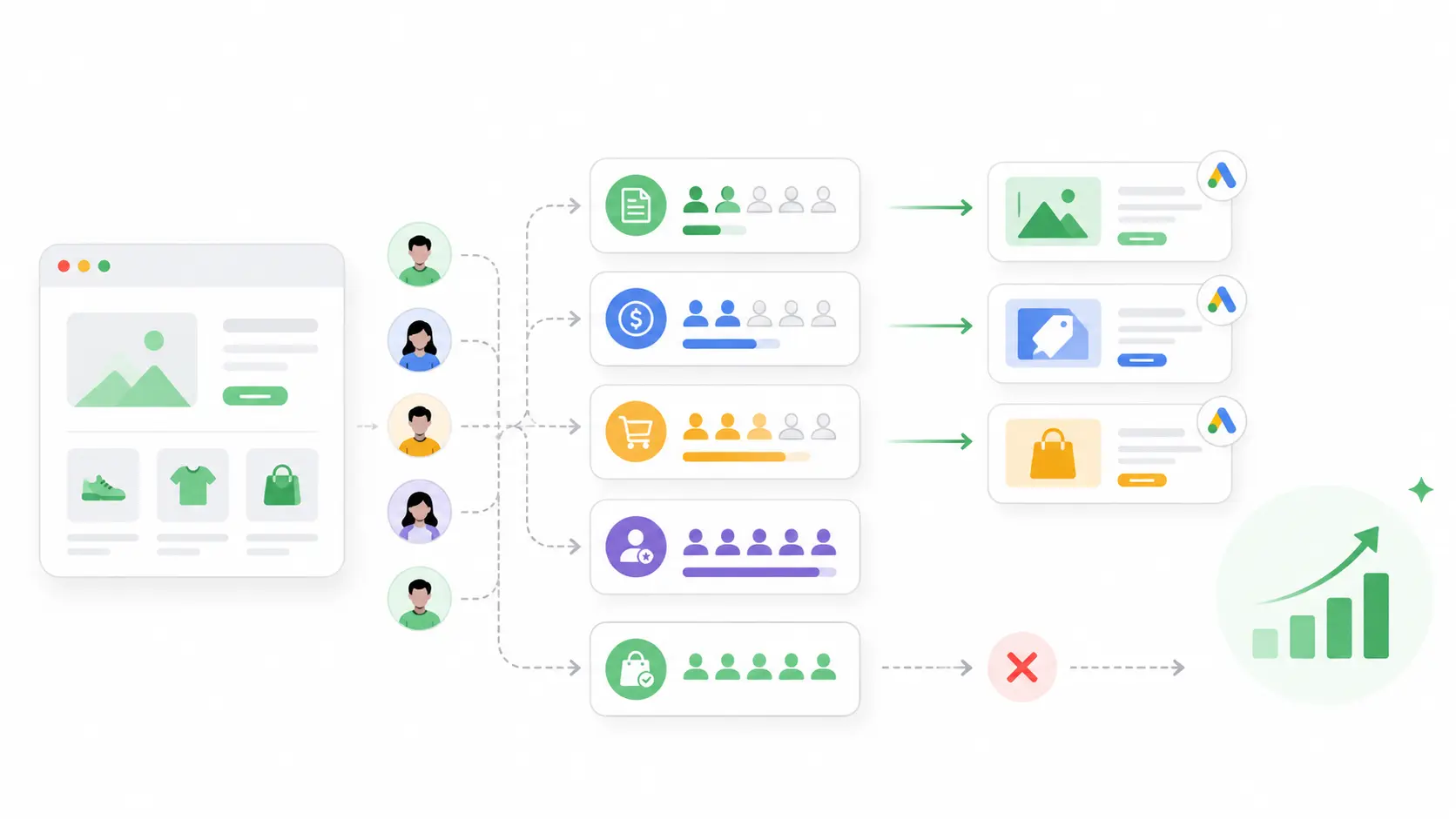
The best Google Ads retargeting strategy starts with segmentation. Not every visitor has the same value — a person who read one blog post is different from someone who visited your pricing page three times. A homepage visitor is different from a cart abandoner. Create separate audiences for different intent levels, then write ads that match each stage of the buying journey.
Exclude People Who Already Converted
In many campaigns, you should exclude users who already converted to avoid wasting budget on existing leads or customers. There are exceptions — you may want to target past converters for upsells, cross-sells, renewals, or loyalty campaigns. But if the goal is new leads, exclude existing leads from your main remarketing campaign.
Use Strong Landing Pages
Remarketing does not fix a weak landing page. If users click your ad and return to a confusing page, they may leave again. Send visitors to pages that match their intent. Service page visitors may need proof, testimonials, and a clear call to action. Cart abandoners may need a direct return to the product or checkout page. If you are building campaigns with a limited budget, a clear Google Ads for small business strategy can help you choose the right audience, offer, and landing page.
Use Negative Keywords for Search Remarketing
If you use remarketing lists for search ads, negative keywords still matter. Returning visitors can still search for irrelevant or low-intent terms. Using Google Ads negative keywords is important because even remarketing campaigns can waste budget if ads appear for irrelevant search queries.
Remarketing Lists for Search Ads
What Are Remarketing Lists for Search Ads?
Remarketing lists for search ads, often called RLSA, allow advertisers to customize search campaigns for people who have already visited their website. Instead of treating every searcher the same way, you can adjust your search strategy based on past website behavior. Audience segments for Search ads help advertisers reconnect with people who left the website without buying when they continue searching on Google.
How RLSA Can Improve Search Campaigns
Remarketing lists for search ads can make search campaigns more focused and conversion-oriented. You can:
- Increase bids for returning visitors who showed high intent
- Show different ad copy to past visitors vs cold traffic
- Target broader keywords only for warm audiences
- Exclude low-value or irrelevant past visitors
- Focus more budget on users closer to conversion
For example, you may not want to bid aggressively on a broad keyword for cold traffic. But if the searcher already visited your pricing page, that same keyword may become more valuable and worth a higher bid.
Common Google Ads Remarketing Mistakes
Final Thoughts on Google Ads Remarketing
Why Remarketing Should Be Part of Your Paid Ads Strategy
Google Ads remarketing helps bring back users who already showed interest in your business. That makes it useful for improving conversion rates, supporting brand recall, and making paid ad budgets work harder. Instead of focusing only on new traffic, remarketing helps you recover missed opportunities from people who already know something about your offer.
How to Keep Improving Campaign Results
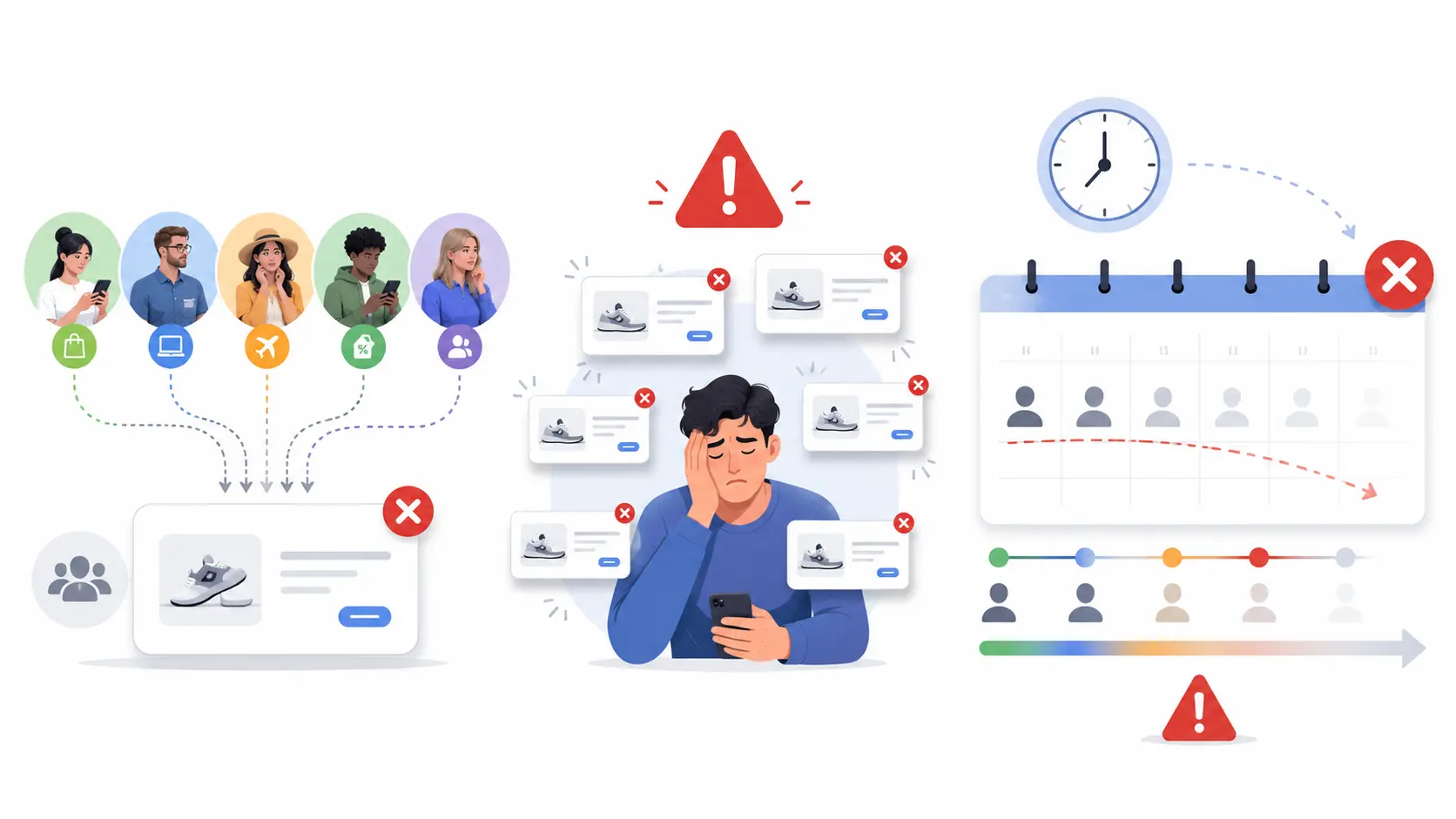
A successful Google Ads remarketing strategy is not about showing the same ad to every past visitor. It works best when audiences are segmented, messages are relevant, tracking is accurate, and campaigns are optimized regularly. Keep testing your audiences, ad copy, landing pages, exclusions, bidding strategies, and campaign types. When used correctly, Google Ads remarketing can help businesses bring back warm visitors and turn more of them into leads or customers.
Need Help Managing Your Google Ads Remarketing Campaigns?
Get professional PPC management to set up proper tracking, build segmented audiences, and turn more warm visitors into leads and customers.
View PPC Management Services →Frequently Asked Questions
Google Ads remarketing is a strategy that shows ads to people who previously visited your website or interacted with your business online. Instead of targeting only new users, remarketing focuses on warm audiences who already know your brand. This can help bring visitors back, remind them about your offer, and increase the chance of conversion.
To set up a Google Ads remarketing campaign, you need website tracking, audience lists, campaign targeting, ad creatives, and conversion tracking. First, install the Google Ads tag or use Google Tag Manager. Then create audience segments based on user behavior, such as page visits, cart activity, or lead form views. Choose the right campaign type, write relevant ads, and set budget and frequency controls.
Remarketing lists for search ads allow you to adjust search campaigns for people who have already visited your website. For example, you can increase bids for returning users, create different ad copy, or target broader keywords only for warm audiences. This can make search campaigns more focused and conversion-oriented.
The best Google Ads retargeting strategy is to segment users by intent. Visitors who viewed a pricing page should not see the same ad as someone who only read a blog post. Strong campaigns usually use separate audiences, relevant messages, conversion tracking, exclusions, and landing pages matched to each user's stage in the buying journey.
Yes, Google Ads remarketing can be very useful for small businesses because it helps re-engage people who already showed interest. Since remarketing audiences are usually warmer than cold traffic, small businesses can use smaller budgets more efficiently. It works best when combined with clear offers, strong landing pages, and proper tracking.