

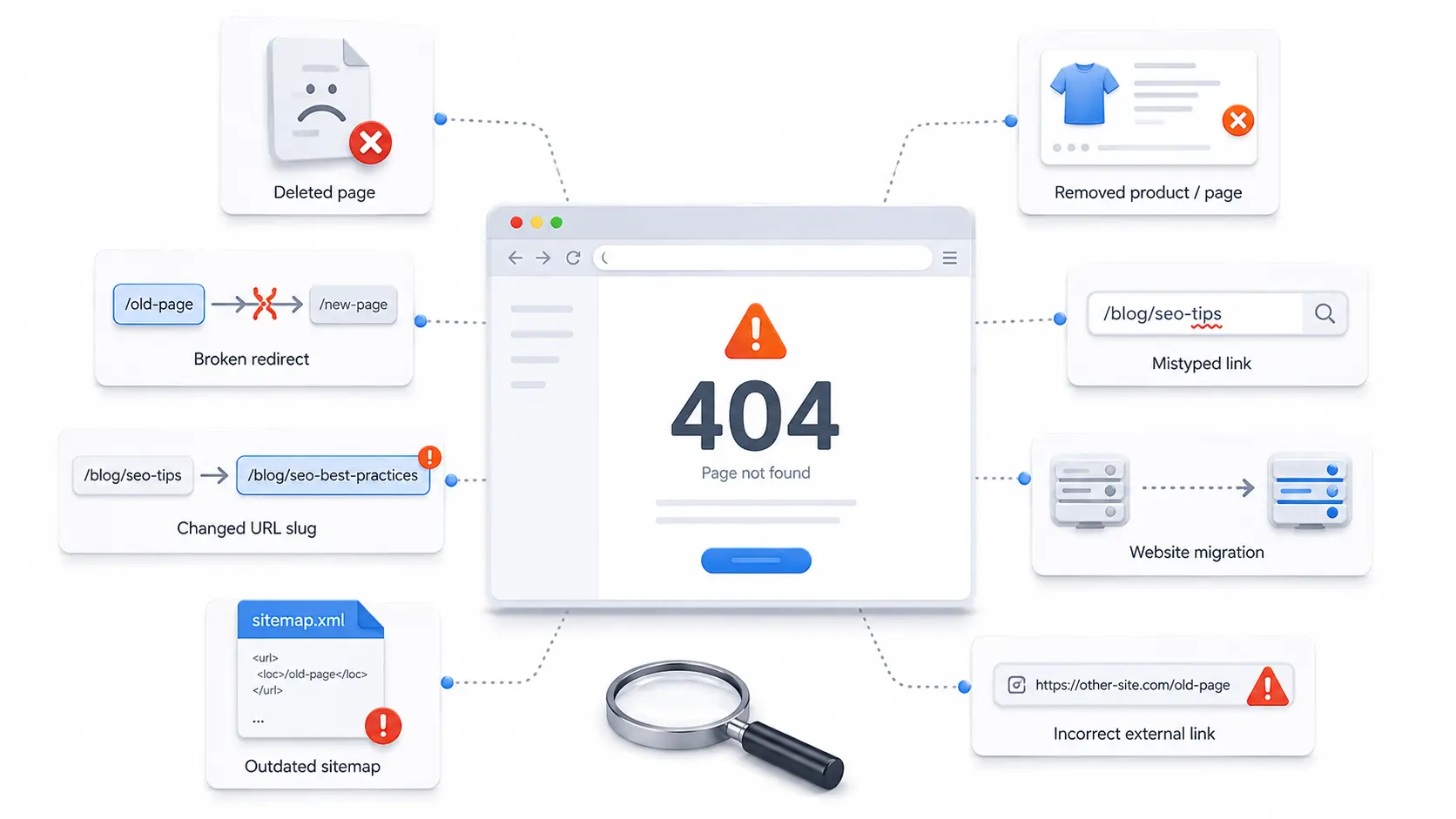
404 errors happen when a visitor or search engine tries to open a page that cannot be found. This usually occurs because a URL was deleted, changed, typed incorrectly, linked incorrectly, or removed during a site update. A few missing pages are normal on most websites — the real problem begins when these errors are ignored.
When users keep landing on dead pages, they lose trust and leave. Search engines may also waste crawl paths on URLs that no longer matter. Broken internal links can weaken your site structure, reduce content discoverability, and make your website feel poorly maintained. The good news is that most missing-page issues are easy to find, fix, and prevent with a clear technical SEO process.
What Are 404 Errors?
A 404 error is an HTTP status response that tells the browser, user, or search engine that the requested page does not exist at that URL. The server is reachable, but the specific page is missing. This is different from a server outage — a website can be working perfectly while one page returns a 404 message. Your homepage may load normally, but an old blog post URL may show a "page not found" message because the post was deleted or moved.
A 404 response is not automatically bad. If a page was intentionally removed and has no useful replacement, showing a proper 404 can be better than sending users somewhere irrelevant.
Why 404 Errors Appear on Websites
Missing-page errors can happen for many simple reasons. Common causes include:
- A page was deleted without a redirect
- A URL slug was changed without updating links
- A product, service, or blog post was removed
- A link was typed incorrectly
- A website migration changed URL structures
- An external website linked to the wrong address
- An old sitemap still includes removed URLs
- A redirect was removed or configured incorrectly
Large websites, ecommerce stores, and blogs with frequent updates are more likely to build up missing URLs over time. That is why regular audits matter.
404 Errors vs Broken Links
A broken link is a clickable link that points to a missing, unavailable, or incorrect page. A 404 response is what the server returns when that missing page cannot be found. In simple terms, broken links often lead to 404 messages. Fixing broken links improves navigation, protects user trust, and helps search engines crawl your website more efficiently.
How 404 Errors Affect SEO and User Experience
404 errors can affect a website in different ways depending on the importance of the missing URL. A random deleted tag page may not matter much. A deleted service page with backlinks, traffic, and internal links can matter a lot. Search engines understand that missing pages happen — the issue is whether valuable pages, internal navigation, backlinks, or crawl paths are pointing to URLs that no longer help users. A regular technical SEO service can help identify crawl issues, broken URLs, redirect problems, and other technical issues that may affect performance.

How 404 Errors Can Hurt User Experience
Users expect links to work. When they click a page and hit a dead end, the experience feels frustrating. This is especially harmful when the missing page appears in search results, navigation menus, product listings, email campaigns, paid ads, or internal blog links. Poor user experience can lead to higher bounce rates, lower engagement, lost leads or sales, reduced trust, and fewer pageviews. A helpful custom 404 page can reduce the damage, but it should not replace fixing important broken links.
Can 404 Errors Affect SEO Rankings?
A few missing pages usually will not damage your entire website's rankings. However, unresolved issues can create SEO problems when important URLs are involved — if a deleted page has strong backlinks, that authority may no longer support a useful destination. If internal links point to missing URLs, search engines may waste time crawling pages that do not provide value. The goal is simple: leave low-value removed pages alone when appropriate, but fix or redirect URLs that still have SEO, traffic, or business value.
How to Find 404 Errors on Your Website
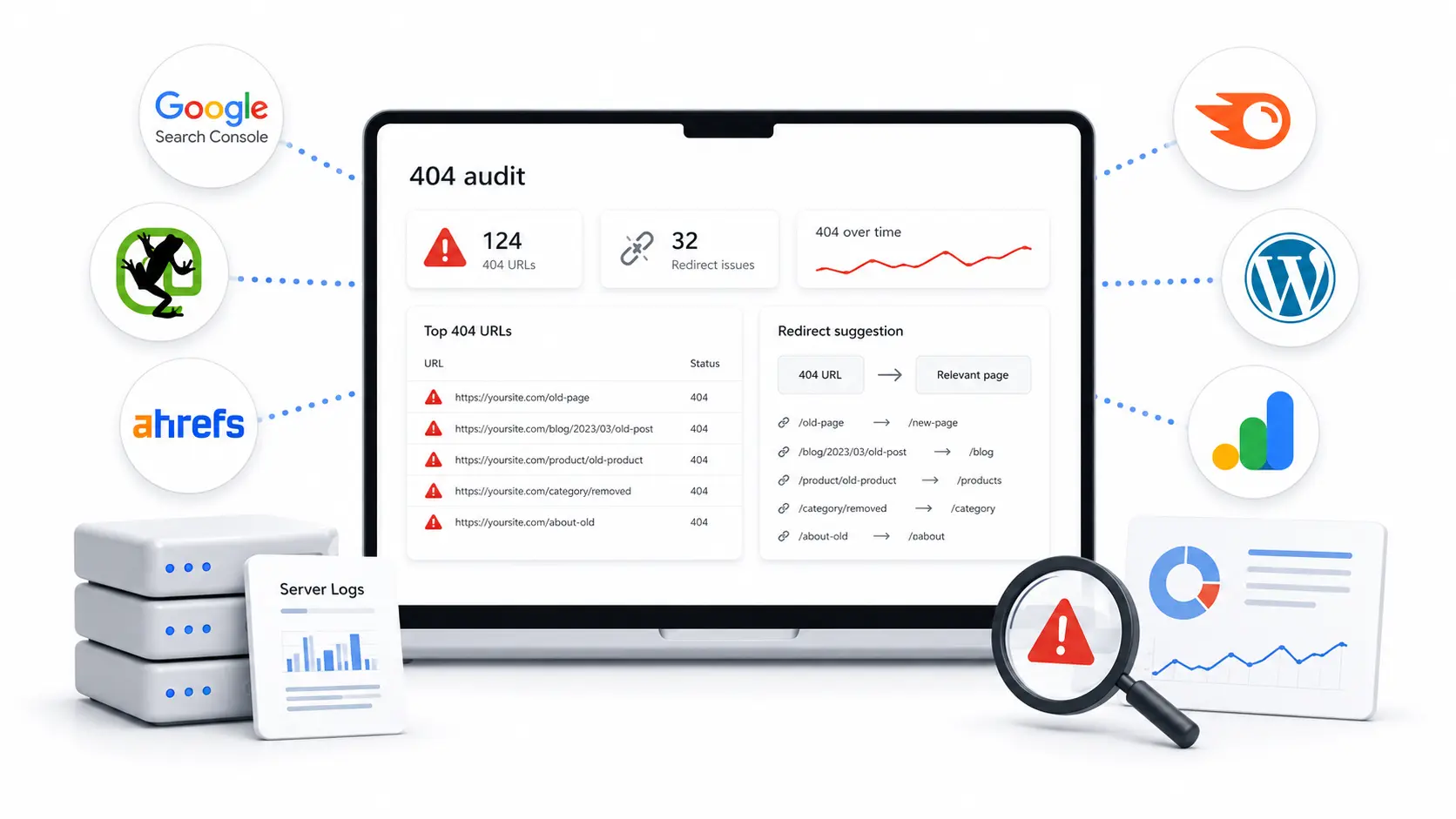
Finding missing pages should be part of every technical SEO audit. Several tools can show which URLs return a 404 status, where they are linked from, and whether they deserve attention. The best approach combines crawl data, search data, analytics data, and backlink data.
How to Find 404 Errors with SEO Tools
You can find missing URLs using a combination of tools:
SEO platforms can also help you find backlinks pointing to deleted URLs — a missing page with external backlinks may still hold link value. If there is a relevant replacement page, a redirect can preserve some of that value while improving the user journey.
How to Check 404 Error Pages Manually
Manual checks are useful when reviewing important pages, navigation links, campaign URLs, or recently changed content. Open the URL in a browser and confirm whether the page loads, redirects, or returns a "not found" message. Check main navigation links, footer links, important blog posts, service pages, product pages, landing pages, email campaign links, recently updated URLs, and sitemap URLs. Manual review is slower than crawling but helps catch user-facing issues that automated reports may not prioritize.
How to Fix 404 Errors Properly
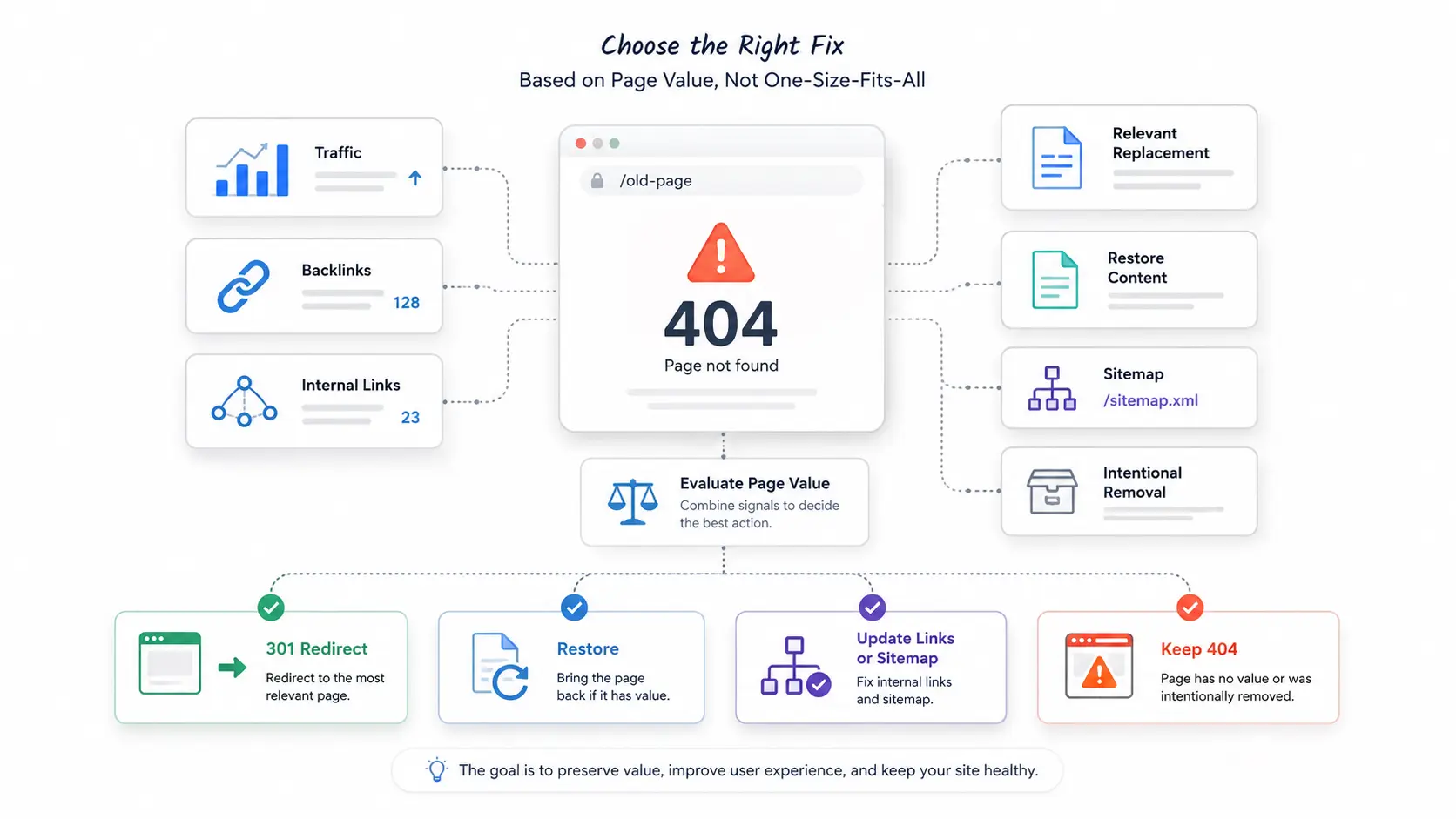
Learning how to fix 404 errors starts with understanding the value of each missing page. Before fixing a URL, ask: Did this page have traffic? Did it have backlinks? Was it internally linked? Is there a relevant replacement? Was it removed intentionally? Should the content be restored? Is the URL still in the sitemap? Once you know the answers, choose the right fix.
How to Fix 404 Errors with Redirects
Redirects are useful when a missing page has a relevant live replacement. Use a 301 redirect when the move is permanent — this helps visitors reach the right content and helps search engines understand that the page has moved. Good redirect examples include old blog posts to updated posts, deleted products to the closest equivalent, old service pages to new versions, changed URL slugs to current URLs, and merged content to the stronger combined page. Avoid redirecting every missing URL to the homepage — the destination may not match the original intent.
Some broken pages can also create link recovery opportunities, especially when you use a broken link building guide to understand how lost or outdated links can be replaced with useful resources.
When to Keep a 404 Error Page
Sometimes, the right fix is to keep the 404 response. A proper 404 is better than a misleading redirect — if an outdated event page from five years ago has no replacement, forcing users to the homepage may create a poor experience.
- The page was intentionally removed
- There is no relevant alternative destination
- The URL has no SEO, backlink, or traffic value
- The page should not return for users
- Redirecting would mislead or confuse visitors
Best Practices for 404 Error Pages
404 error pages should help users recover quickly. A plain dead-end page with no navigation creates frustration. A useful custom page can guide visitors back to helpful content.
- A clear "page not found" message in plain language
- A link back to the homepage
- A search bar to help users find what they need
- Links to popular or related pages
- Helpful navigation matching your main menu
- A contact option for users who need help
- Brand-consistent design and friendly tone
- No confusing technical error language
Common 404 Error Page Mistakes to Avoid
- Showing a blank page with no content or navigation
- Using vague error text only — no links or help
- Redirecting all 404s to the homepage automatically
- Hiding the error from users with a soft 404
- Using a design that looks broken or unstyled
- Linking to outdated pages from the error page
How to Prevent 404 Errors in the Future
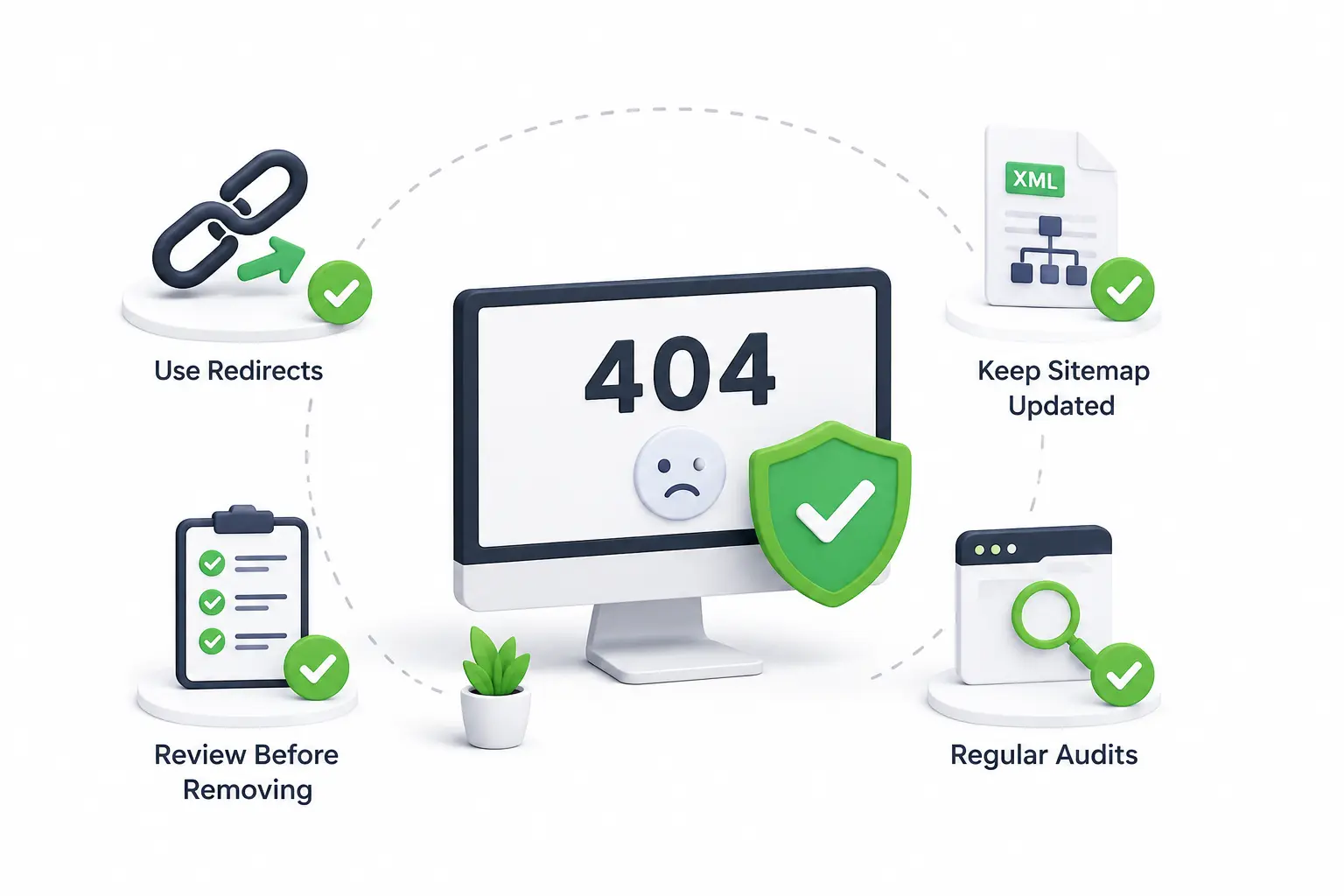
Prevention is easier than cleanup. Most missing-page issues happen because teams change content without updating links, redirects, and sitemaps. A simple publishing workflow can prevent many problems — before deleting or changing a URL, check whether the page has internal links, backlinks, traffic, or conversions. Then decide whether to redirect, update links, restore content, or let the page return a 404.
Use Redirects When URLs Change
Any time you change a URL, create a redirect from the old address to the new one. This is especially important for pages that receive traffic or have backlinks. Redirects are important after website migrations, domain changes, CMS changes, slug updates, category changes, product removals, service page updates, and content consolidation. Keep a redirect map during major website changes — this makes it easier to track old URLs and match them with the right new destinations.
Keep Your XML Sitemap Updated
Your XML sitemap should include only important live URLs that you want search engines to discover. If deleted pages remain in the sitemap, search engines may keep trying to crawl them. Keeping your sitemap clean is also important because an updated XML sitemap SEO setup helps search engines discover the right URLs instead of outdated or removed pages. After removing or redirecting content, update your sitemap and resubmit it if needed.
404 Errors Checklist
A checklist helps turn technical cleanup into a repeatable habit. Instead of waiting for traffic drops or user complaints, review missing-page issues on a regular schedule.
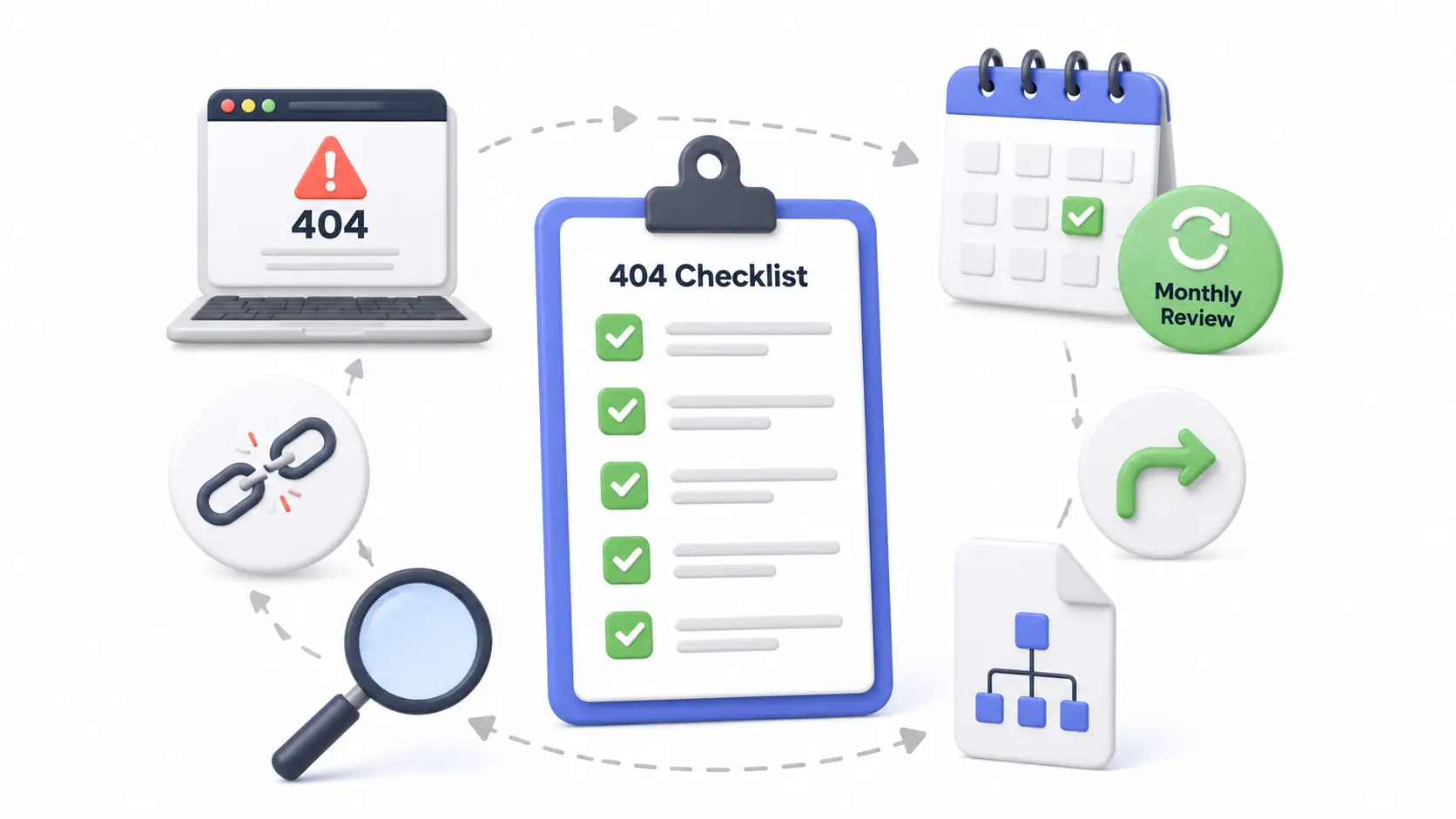
- Crawl the website monthly to find missing URLs
- Check Google Search Console for "not found" responses
- Review and prioritize important 404 error pages
- Fix internal broken links pointing to missing pages
- Redirect valuable deleted pages to relevant replacements
- Remove outdated URLs from the sitemap
- Update internal links after changing URL slugs
- Monitor backlinks pointing to deleted pages
- Improve the custom 404 page with helpful navigation
- Avoid redirecting every 404 to the homepage
- Check navigation and footer links for broken URLs
- Review URLs after migrations or redesigns
- Track deleted pages in a redirect map
- Test redirects after implementation
- Restore important pages when a redirect is not ideal
Monthly 404 Error Review Process
A simple monthly process keeps your site healthy. First, crawl your website and export all missing URLs. Next, separate internal issues from external issues — internal issues should be fixed quickly because you control those links. Then review each missing URL by value: high-value pages should be restored or redirected, while low-value URLs with no traffic, backlinks, or purpose can often stay as proper 404s. Finally, update your sitemap, test redirects, and improve your custom error page when needed.
Conclusion
404 errors are common, but they should not be ignored. Some missing pages are harmless, while others can damage user experience, weaken internal linking, waste crawl paths, and reduce the value of backlinks. The best approach is to find missing URLs regularly, fix internal broken links, redirect valuable deleted pages, improve your custom error page, and keep your sitemap clean. With a simple review process, 404 errors become easy to manage instead of a hidden technical SEO problem.
Need Help With Technical SEO and Broken Page Issues?
Get professional technical SEO support to find 404 errors, fix broken links, implement redirects, and keep your site crawlable and healthy.
View Technical SEO Service →FAQs About 404 Errors
404 errors are not always bad for SEO, especially when they appear for pages that no longer need to exist. However, they can become a problem when important pages, internal links, or backlinks lead to missing URLs. If users and search engines repeatedly hit broken pages, it can weaken user experience, crawl efficiency, and site quality.
You can find 404 errors by using tools such as Google Search Console, website crawlers, SEO audit tools, analytics platforms, and server logs. Start by checking pages that return "not found" errors, then review whether those URLs have internal links, backlinks, traffic, or business value to decide whether to redirect, restore, or leave the page as 404.
No, you should not redirect every 404 error automatically. Redirect important missing pages to the most relevant live page, not always to the homepage. If a page has no traffic, backlinks, or replacement value, it can often remain a proper 404. The goal is to help users and search engines reach relevant content.
A 404 error is the server response that appears when a requested page cannot be found. A broken link is a link that points users to a missing or unavailable page. In simple terms, broken links often lead to 404 errors. Fixing broken links helps reduce unnecessary missing pages and improves navigation.
For small websites, checking once a month is usually enough. For larger websites, ecommerce stores, blogs, or sites with frequent content updates, weekly checks may be better. You should also check after migrations, redesigns, URL changes, deleted pages, or major content updates to prevent SEO and user experience issues.