
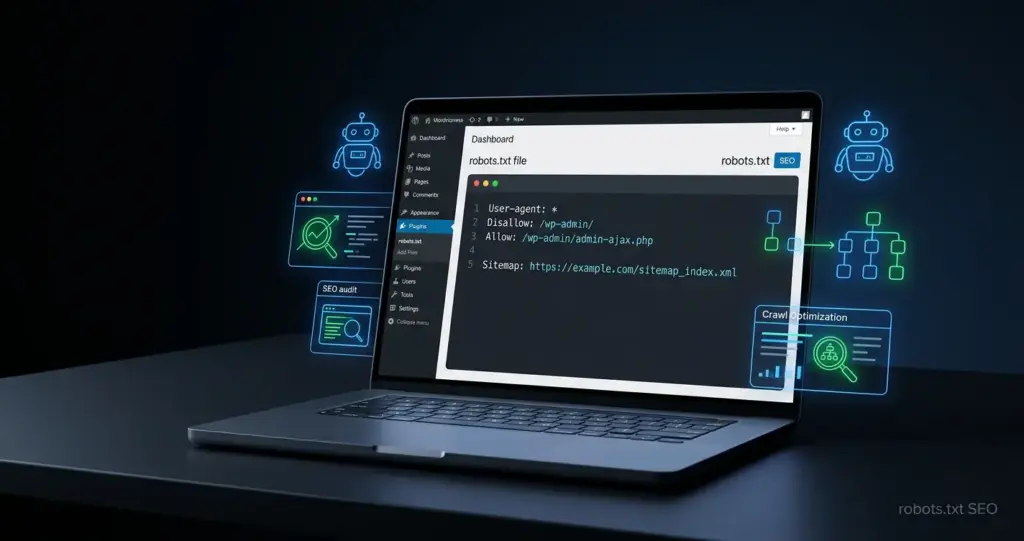
A WordPress robots.txt file helps search engines understand which parts of your WordPress website they can crawl and which areas they should avoid. It is a small technical file, but it can affect crawl control, indexing signals, and overall SEO health. When configured correctly, it helps search engines focus on important pages. When handled incorrectly, it can block valuable content, prevent resources from loading, or create crawling issues.
In this guide, you will learn what the WordPress robots.txt file does, how to edit it safely, and which best practices can improve your robots.txt WordPress SEO.
What Is a WordPress Robots.txt File?
A WordPress robots.txt file is a plain text file located at the root of your website, usually accessible at https://yourdomain.com/robots.txt. Its job is to give crawling instructions to search engine bots before they explore your website. It does not create rankings by itself, and it does not force every bot to obey — it acts as a crawl guidance file for search engines that respect robots.txt rules.
How the WordPress Robots.txt File Works
The WordPress robots.txt file uses simple directives. A basic example looks like this:
Disallow: /wp-admin/
Allow: /wp-admin/admin-ajax.php
Sitemap: https://yourdomain.com/sitemap_index.xml
Here, User-agent: * applies the rule to all crawlers. Disallow: /wp-admin/ tells bots not to crawl the WordPress admin area. Allow: /wp-admin/admin-ajax.php keeps important AJAX functionality accessible. The sitemap line helps crawlers find your XML sitemap faster.
Why Search Engines Check Robots.txt Before Crawling

Search engines check robots.txt early because it tells them which URLs they should avoid crawling. Websites often contain admin paths, internal search results, duplicate URL patterns, or technical files that do not need crawler attention.
Robots.txt is not the same as indexing control. A blocked URL can still appear in search results if other pages link to it. For pages you want removed from results, use a noindex tag, proper redirects, or server-level access control.
Why WordPress Robots.txt Matters for SEO
Robots.txt matters because SEO is not only about publishing content — it is also about helping search engines crawl the right content efficiently. For small websites, robots.txt may stay simple. For larger WordPress sites, ecommerce stores, directories, and blogs with many archives, crawl control becomes more important.
How Robots.txt WordPress SEO Affects Crawl Control
Good robots.txt WordPress SEO helps reduce crawler waste. You may not want bots spending time on internal search pages, admin URLs, temporary folders, or duplicate filtered URLs. However, important assets such as CSS, JavaScript, images, theme files, and plugin resources often help search engines understand how your pages render — blocking these files can make your website harder to evaluate.
When Robots.txt Can Help Technical SEO Performance
Robots.txt can support technical SEO when your site has:
- Large numbers of low-value URLs
- Internal search result pages
- Duplicate parameter URLs
- Staging or test paths that should not be crawled
- Crawl budget concerns on larger websites
- Old rules that need cleanup after redesigns
If your website has crawl errors, indexing problems, or confusing robots.txt rules, a professional technical SEO service can help identify and fix the issue before it affects organic visibility.
How to Edit Robots.txt in WordPress
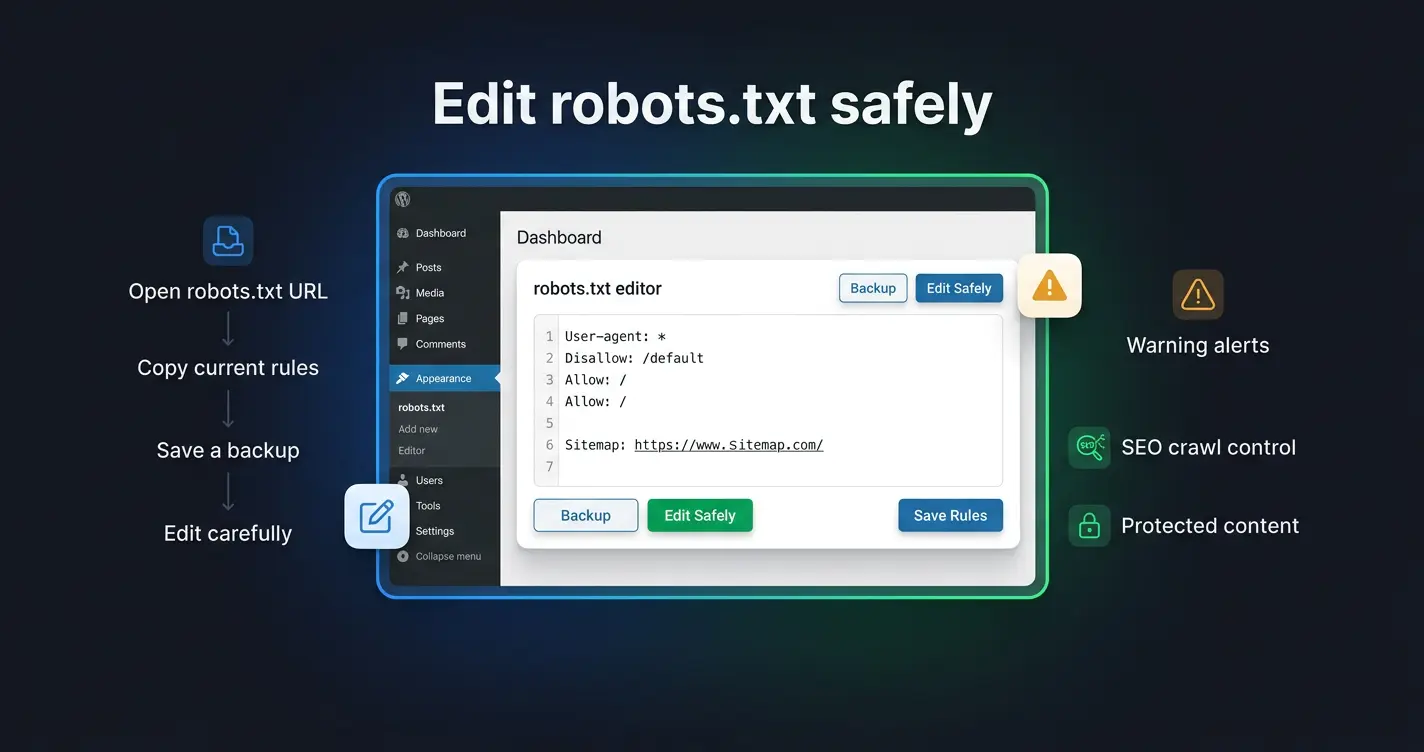
Learning how to edit robots.txt in WordPress is important because one wrong rule can block important content. Before making changes, open your current file by visiting https://yourdomain.com/robots.txt, copy the existing rules, and save a backup. Then edit carefully.
How to Edit Robots.txt in WordPress with an SEO Plugin
The easiest method is using an SEO plugin that includes a file editor or robots.txt editor. This lets you manage the file from the WordPress dashboard without using FTP. A typical process looks like this:
- Log in to your WordPress dashboard
- Open your SEO plugin settings
- Find the robots.txt or file editor section
- Review the current rules carefully
- Add or update only the necessary lines
- Save changes and test important URLs after saving
Avoid broad rules such as Disallow: / unless the website is intentionally private or in development. That single line tells crawlers not to crawl the entire website.
How to Edit Robots.txt Manually Through Hosting or FTP
You can also edit robots.txt manually through your hosting file manager or FTP. The file belongs in the root directory of your WordPress installation, often called public_html. Use a plain text editor and avoid word processors because they may add hidden characters that break the file.
WordPress Robots.txt: 7 Best Practices for Better SEO
Disallow: /search/
Disallow: /wp-admin/
Allow: /wp-admin/admin-ajax.php
What Should You Include or Avoid in a WordPress Robots.txt File?
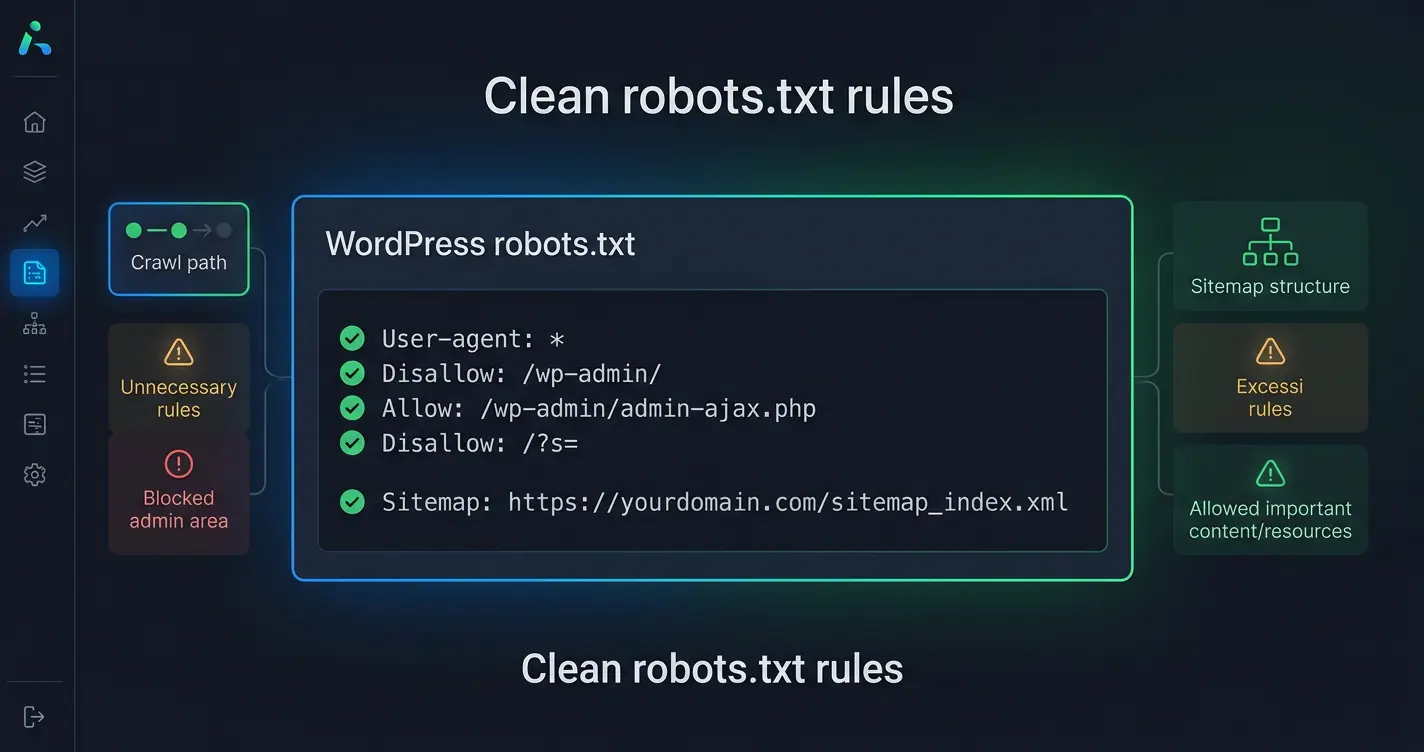
A clean robots.txt file is usually better than a complicated one. Most WordPress websites do not need dozens of rules.
Recommended Lines for a Simple WordPress Robots.txt File
A simple, effective setup looks like this:
Disallow: /wp-admin/
Allow: /wp-admin/admin-ajax.php
Disallow: /?s=
Sitemap: https://yourdomain.com/sitemap_index.xml
This setup blocks the admin area and internal search query URLs while keeping important content and resources accessible. Only add extra rules when there is a clear SEO or crawl control reason.
Common Robots.txt Rules That May Damage SEO
Avoid rules that block important content or resources. Risky examples include:
| Risky Rule | Why It Is Dangerous |
|---|---|
| Disallow: / | Blocks the entire website from being crawled |
| Disallow: /wp-content/ | Blocks images, CSS, plugin files, and theme assets |
| Disallow: /wp-includes/ | Blocks core WordPress scripts needed for rendering |
| Disallow: /category/ | Removes blog category archive pages from crawling |
| Disallow: /blog/ | Can block all blog content from being crawled |
Alongside robots.txt, website owners are also starting to explore AI-focused files such as the llms.txt file AI search guide, which can help structure information for modern AI search systems.
Robots.txt WordPress SEO Mistakes to Avoid
Even experienced site owners can create robots.txt problems by copying rules from another website. Your robots.txt file should match your own site structure, not someone else's template.
Blocking Important Pages by Accident
The most damaging mistake is blocking pages that should rank. This can happen after a website migration, a staging-to-live launch, or a copied rule from a development environment. Before saving any robots.txt update, always check whether your most important pages are still crawlable.
Confusing Robots.txt with Noindex Tags
Robots.txt controls crawling. A noindex tag controls whether a page should appear in search results. If you block a URL in robots.txt, search engines may not be able to crawl the page and see the noindex tag at all. For pages that should be removed from search, noindex is usually the better choice — as long as crawlers can still access the page to read that instruction.
| Tool | What It Controls | When to Use It |
|---|---|---|
| Robots.txt | Whether a page is crawled | Blocking admin areas, duplicate params, low-value paths |
| Noindex tag | Whether a page appears in results | Removing indexable but unwanted pages from search |
| Password / Auth | Whether a page can be accessed | Protecting private, sensitive, or staging content |
Final WordPress Robots.txt Checklist
Before publishing your robots.txt file, use this quick checklist:
- Your homepage is crawlable
- Important pages and posts are crawlable
- CSS and JavaScript are not blocked
- Images and media files are not blocked unnecessarily
- /wp-admin/ is blocked
- admin-ajax.php is allowed
- Your XML sitemap URL is included
- Internal search URLs are handled carefully
- No broad Disallow: / rule exists on the live site
- The file is reviewed after redesigns, migrations, or major plugin changes
Quick Technical SEO Review Before Publishing
A good robots.txt file should be short, intentional, and easy to understand. If a rule does not have a clear purpose, remove it or test it before keeping it. Check your sitemap, inspect key URLs, and confirm that search engines can access the pages you want to rank.
When to Get Expert Support for Crawl Issues
If your rankings dropped after a migration, important pages are not being indexed, or Search Console shows crawl problems, robots.txt may be part of a larger technical issue. Review robots.txt together with sitemaps, canonical tags, redirects, noindex tags, server responses, and internal links. For a full audit, a professional technical SEO service can help identify what is causing the problem.
A well-optimized WordPress robots.txt file is not about blocking as much as possible. It is about giving search engines clear, safe, and useful crawling instructions.
Need Help With Your WordPress Technical SEO?
Get professional technical SEO support to fix crawl issues, improve indexing, and build a clean, search-friendly website structure.
View Technical SEO Services →Frequently Asked Questions
A WordPress robots.txt file is a simple text file that gives crawling instructions to search engine bots. It helps control which areas of your website crawlers can access. It does not directly improve rankings by itself, but it supports better crawl management, especially when a website has unnecessary pages, admin areas, or technical sections that should not waste crawler attention.
You can edit robots.txt in WordPress through an SEO plugin, your hosting file manager, or FTP access. SEO plugins are usually the easiest option because they allow you to manage the file from the WordPress dashboard. Before editing, always check the current rules and avoid blocking important pages, media files, CSS, or JavaScript resources.
Yes, robots.txt WordPress SEO is important because it helps search engines understand which parts of your website should or should not be crawled. A clean file can support crawl efficiency, especially for larger websites. However, incorrect rules can harm SEO if they block important pages, resources, or sitemap access.
Avoid blocking your entire website, important landing pages, blog posts, product pages, CSS files, JavaScript files, or image folders. You should also avoid using robots.txt as a privacy tool because blocked URLs may still appear in search results if other pages link to them. For sensitive content, use proper authentication or server-level protection.
Yes, adding your XML sitemap URL to the WordPress robots.txt file is a good practice. It gives search engines a clear path to your sitemap and helps them discover important pages more efficiently. This is especially useful when your website has many posts, service pages, multilingual pages, or frequently updated content.