

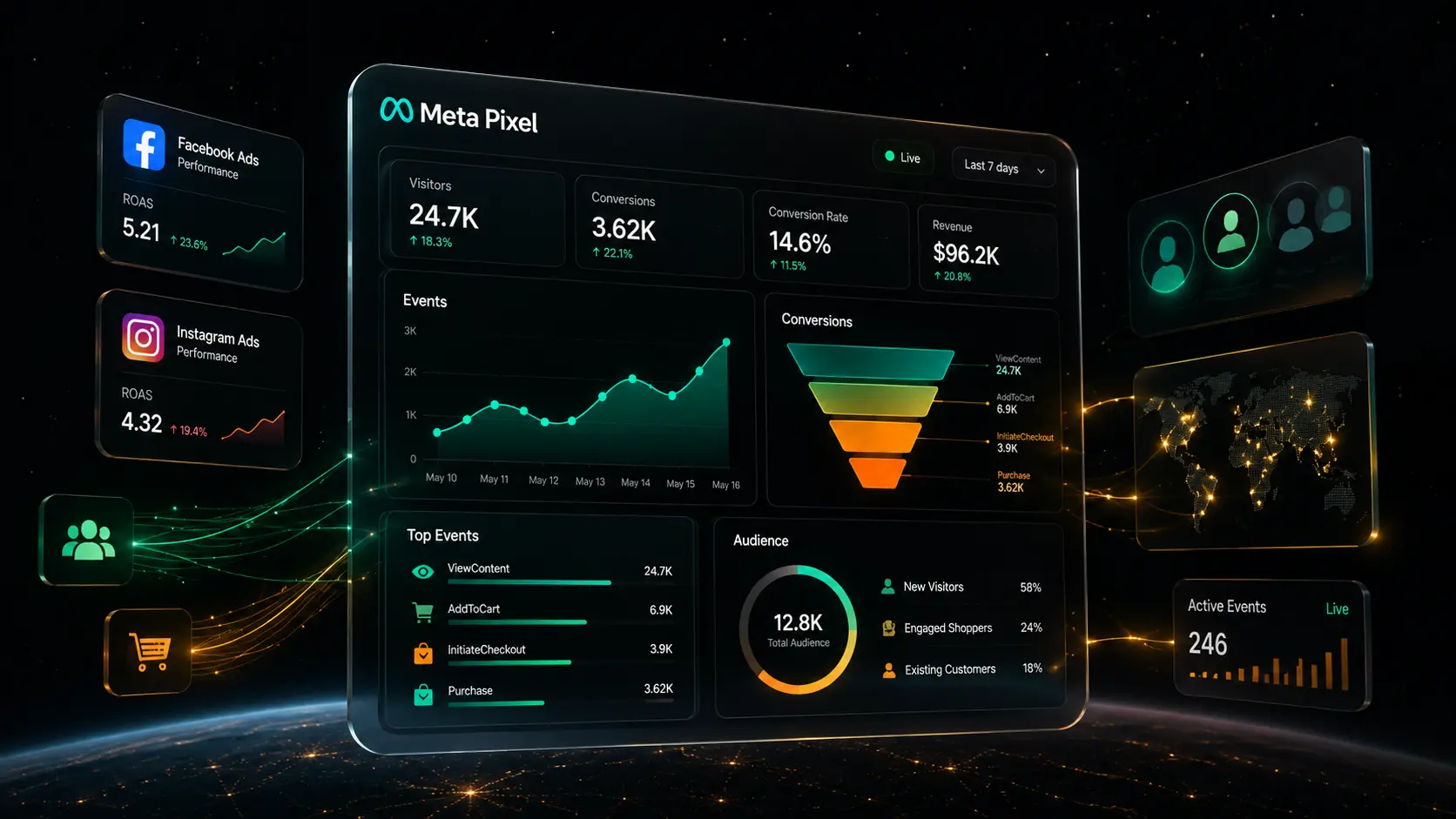
Meta Pixel is one of the most important tools for businesses running Facebook and Instagram ads. It helps track what people do after they visit your website — including page views, leads, purchases, registrations, add-to-cart actions, and other valuable events. Instead of only seeing clicks and impressions, advertisers can connect ad traffic to real business outcomes.
This guide explains what Meta Pixel does, how Meta Pixel setup works, and how Meta Pixel conversion tracking and Meta Pixel retargeting can help businesses make smarter advertising decisions.
What Is Meta Pixel?
Meta Pixel is a small piece of tracking code added to a website. When someone visits the site, the Pixel can collect information about their actions and send that activity back to Meta's advertising system. This helps businesses understand how people behave after clicking or viewing ads on Facebook and Instagram.
In simple terms, Meta Pixel works like a bridge between your website and your Meta ads account — it tells Meta which visitors viewed products, submitted forms, started checkout, purchased something, or completed another important action.
How Meta Pixel Collects Website Data
Meta Pixel collects website activity through events. An event is an action someone takes on your site. Some events are standard events, which Meta already recognizes. Others are custom events, which businesses create for specific goals. Meta's Event Setup Tool can also help advertisers add events and parameters after the base Pixel code is installed, without needing to code everything manually.
Why Meta Pixel Is Useful for Advertisers
Advertisers use Meta Pixel because clicks alone do not tell the full story. A campaign may get many clicks but very few leads or sales. Another campaign may get fewer clicks but produce better customers. Meta Pixel helps reveal that difference. For businesses that want stronger tracking and better campaign decisions, professional PPC ads management services can help connect ad strategy with accurate performance data.
Why Meta Pixel Is Important for Online Advertising
Meta Pixel is important because it helps advertisers measure what happens after someone lands on a website. Without it, businesses may know that people clicked an ad, but they may not know whether those visitors became leads, customers, subscribers, or returning buyers.
Better Campaign Optimization
Meta ads perform better when the system has clear signals. If your goal is leads, the Pixel can help Meta understand which visitors are more likely to submit a form. If your goal is sales, it can help campaigns optimize toward purchases. The stronger the event tracking, the easier it becomes to optimize ads around meaningful actions instead of surface-level engagement.
More Accurate Performance Measurement
Without tracking, advertisers usually rely on impressions, reach, clicks, and landing page views. These metrics are useful, but they do not show the full customer journey. Conversion tracking helps answer more valuable questions: Which ad generated leads? Which audience produced purchases? Which landing page converted best? Which campaign deserves more budget?
Clicks and impressions tell you what people did with your ad. Conversion tracking tells you what happened after — and that is where the real business value sits.
How to Complete Meta Pixel Setup
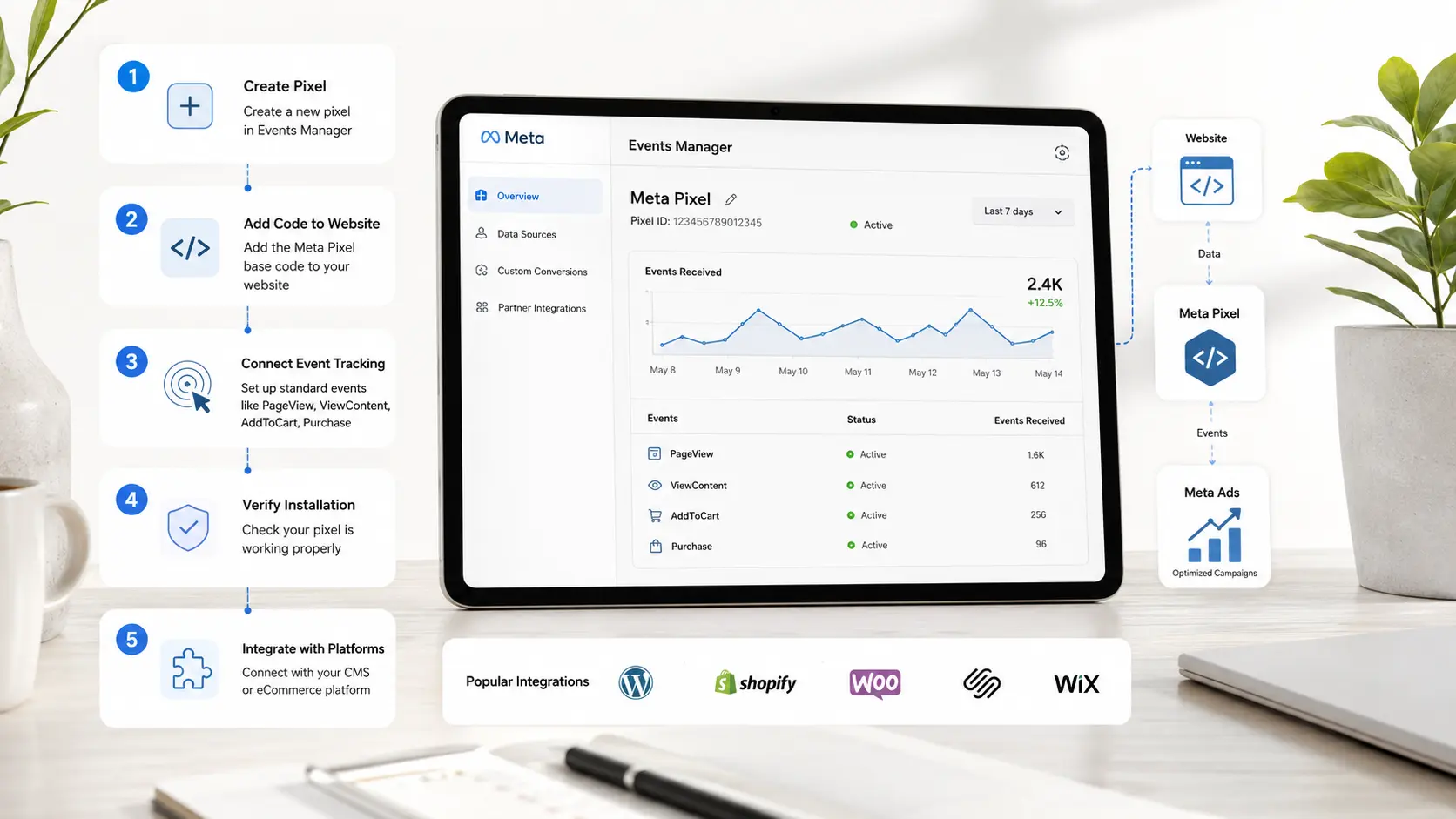
Meta Pixel setup is usually done through Meta Events Manager. The process may vary slightly depending on the website platform, but the basic steps are similar.
Meta Pixel Setup Through Events Manager
Meta Pixel Setup on Popular Website Platforms
Meta Pixel can be added manually, through Google Tag Manager, or through platform integrations. Popular platforms such as WordPress, Shopify, WooCommerce, and other website builders often provide integration options that make installation easier. For WordPress, you may use a plugin or add the code through your theme settings. For Shopify, the setup may connect through Meta's sales channel or data-sharing tools.
After installation, always test the Pixel. A Pixel that is installed but not firing correctly can create misleading reports and lead to poor campaign decisions.
Important Events to Track with Meta Pixel
The value of Meta Pixel depends on the events you track. Tracking only page views may be enough for basic remarketing, but it is usually not enough for serious ad optimization.
- PageView
- ViewContent
- AddToCart
- InitiateCheckout
- Purchase
- Lead
- CompleteRegistration
- Contact
- Brochure downloads
- Appointment button clicks
- Pricing page visits
- Quote requests
- Demo video views
- Scroll depth milestones
- Chat widget opens
- Specific form interactions
For ecommerce, ViewContent, AddToCart, InitiateCheckout, and Purchase are especially important. For service businesses, Lead, Contact, and CompleteRegistration may matter more. Custom events are useful when standard events do not fully match your goal — especially for businesses that do not sell directly online but still need to measure qualified interest.
How Meta Pixel Conversion Tracking Improves Ad Results
Meta Pixel conversion tracking helps advertisers understand which ads drive real results. It turns campaign reporting from guesswork into evidence-based decision-making.
Understanding Which Ads Drive Results
A campaign may look successful because it has a low cost per click. But if those clicks do not become leads or purchases, the campaign may not be profitable. Conversion tracking shows which campaigns, ad sets, creatives, placements, and audiences produce valuable actions — helping businesses compare performance based on outcomes instead of vanity metrics.
Optimizing Budget Based on Conversions
Once conversion data is available, businesses can shift budget toward campaigns that generate better results. If one audience brings cheaper clicks but another brings more qualified leads, the lead-focused audience may deserve more budget. This is where Meta Pixel becomes a decision-making tool — helping advertisers reduce wasted spend and focus on actions that support revenue, lead quality, or customer growth.
How Meta Pixel Retargeting Helps Bring Visitors Back
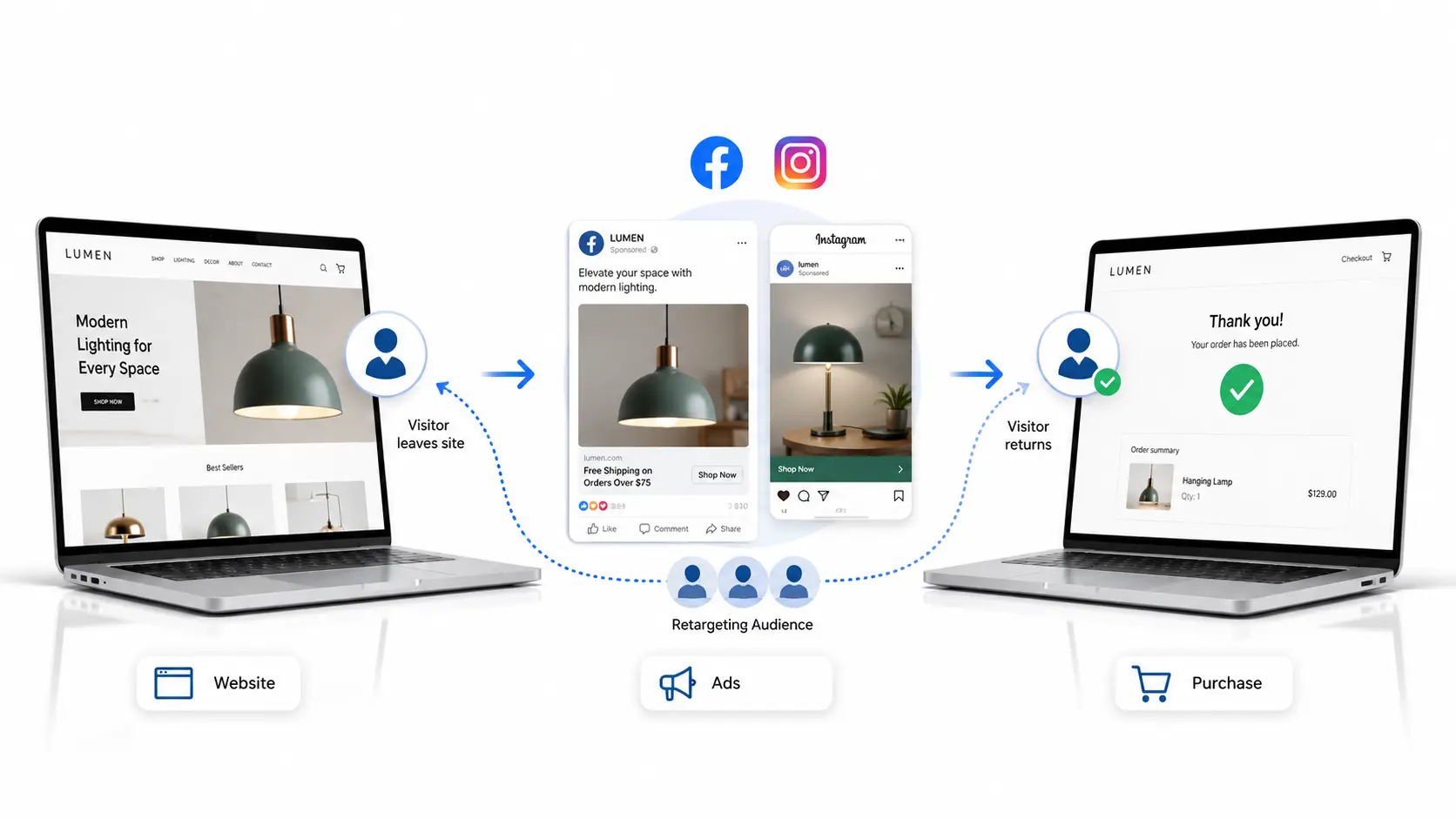
Meta Pixel retargeting allows businesses to build audiences from people who already visited their website. These audiences can then be used in Facebook and Instagram ad campaigns.
Building Custom Audiences with Meta Pixel
A website custom audience can include all visitors, people who viewed specific pages, product viewers, cart abandoners, blog readers, or visitors who reached a landing page but did not convert. A strong Facebook ads retargeting strategy can help businesses reconnect with people who visited important pages but did not complete an action.
Creating Better Retargeting Campaigns
Retargeting works because the audience is already familiar with the brand. These people may need a reminder, a stronger offer, a testimonial, or a clearer reason to return. Instead of showing the same message to everyone, Meta Pixel retargeting lets advertisers match the message to the visitor's behavior.
- Abandoned cart ads reminding visitors of products left behind
- Lead reminder ads for people who opened forms but did not submit
- Product comparison ads for users who viewed multiple items
- Service page retargeting with a testimonial or offer
- Limited-time offer ads for high-intent page visitors
- Content follow-up campaigns for blog readers
Common Meta Pixel Mistakes to Avoid
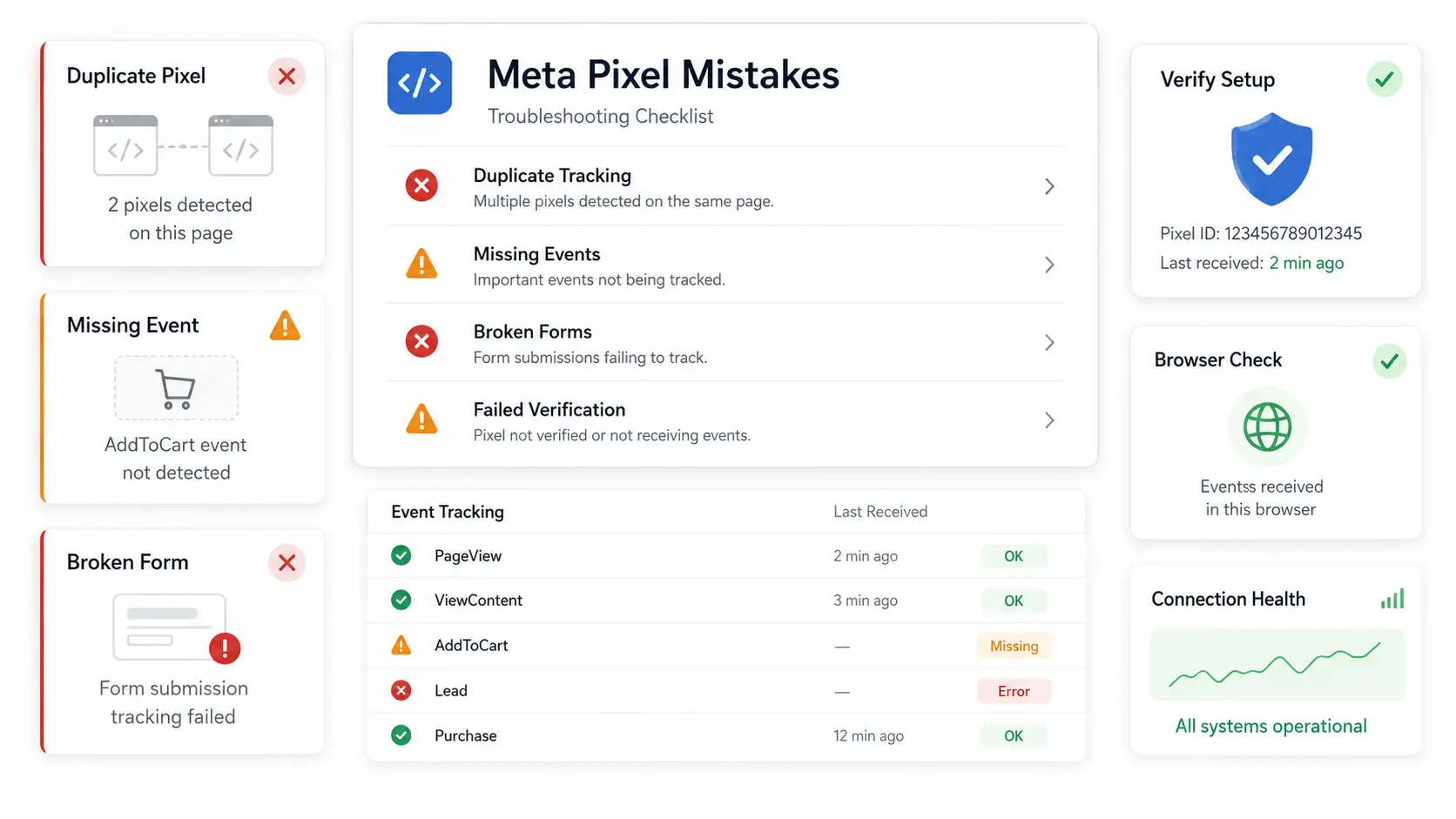
Even a small setup mistake can affect campaign data. Advertisers should check Pixel activity before making major budget decisions.
How to Use Meta Pixel Data for Better Campaigns
Meta Pixel data becomes more valuable when businesses use it to improve targeting, messaging, landing pages, and offers.
Improve Audience Targeting
Pixel data can help create warmer audiences based on website behavior. Someone who read one blog post is different from someone who viewed a pricing page or abandoned checkout. Advertisers can use these behavior signals to build more relevant campaigns — a first-time visitor may need education, a cart abandoner may need urgency, and a lead form visitor may need trust-building content.
Improve Landing Pages and Offers
Meta Pixel data can also show where users drop off. If many people view a landing page but few submit the form, the offer may be weak, the form may be too long, or the page may not build enough trust. If many people add products to cart but do not purchase, the issue may be shipping cost, checkout friction, or lack of urgency. Conversion data helps businesses improve the entire customer journey, not just the ads.
Final Thoughts
Meta Pixel helps businesses understand what happens after people visit a website from Facebook and Instagram ads. It supports conversion tracking, campaign optimization, audience creation, and retargeting.
For beginners, the most important step is proper Meta Pixel setup. Install the Pixel correctly, verify activity, track meaningful events, and review conversion data before making major campaign decisions. When used well, Meta Pixel gives businesses clearer insight into visitor behavior, stronger ad reporting, and better opportunities to bring interested users back through retargeting.
Need Help With Your Facebook and Instagram Ad Campaigns?
Get professional PPC management to set up proper tracking, improve targeting, and build campaigns that connect ad spend to real business results.
View PPC Management Services →Frequently Asked Questions
Yes, Meta Pixel is free to create and use inside Meta Business tools. However, businesses still need a website, proper installation, and active advertising campaigns to get the most value from it. The Pixel itself does not create results automatically — it collects data that helps improve campaign tracking, optimization, and retargeting.
Yes, Meta Pixel and Google Analytics serve different purposes. Google Analytics helps analyze general website traffic and user behavior, while Meta Pixel connects website actions directly with Facebook and Instagram ads. Using both gives businesses a clearer view of traffic, conversions, campaign performance, and retargeting opportunities.
Meta Pixel can start collecting data soon after it is installed correctly and receives website traffic. However, meaningful campaign insights may take more time, especially if the website has low traffic or limited conversions. The more quality data the Pixel collects, the more useful it becomes for optimization and retargeting.
Yes, Meta Pixel can track leads, purchases, registrations, add-to-cart actions, checkout starts, contact form submissions, and other important website events. These events help advertisers understand which campaigns generate real business results. Accurate event tracking is especially important for optimizing budgets and measuring return on ad spend.
Meta Pixel may not track correctly if the code is installed in the wrong place, duplicated, blocked by browser settings, or missing key events. Tracking problems can also happen when website changes break event triggers. Testing the Pixel through Meta Events Manager can help identify and fix setup issues.